Please select the most relevant MFiX category: | Installation | How to | Bug report | Share | for this topic.
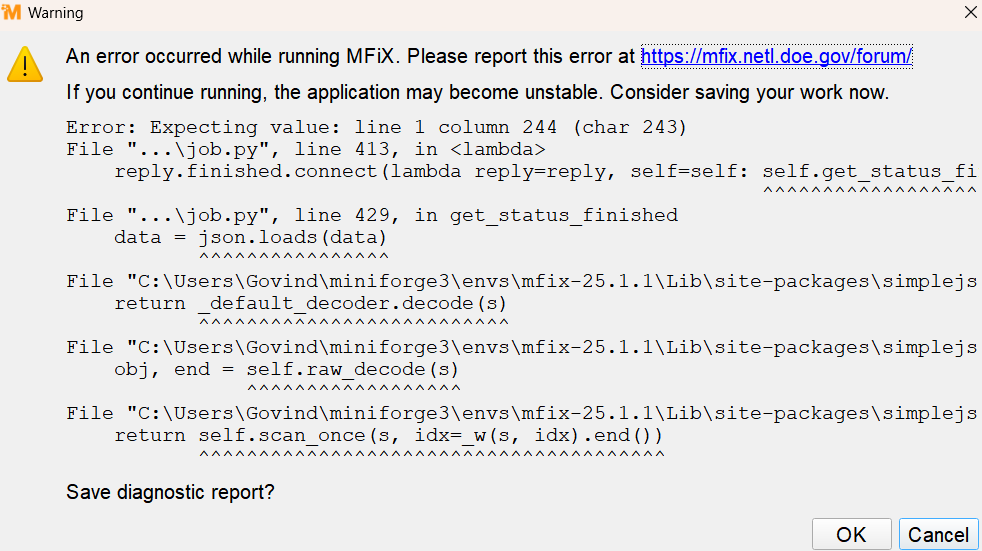
This is where you should save the diagnostic report and attach it to the post so we have a chance to reproduce and fix.
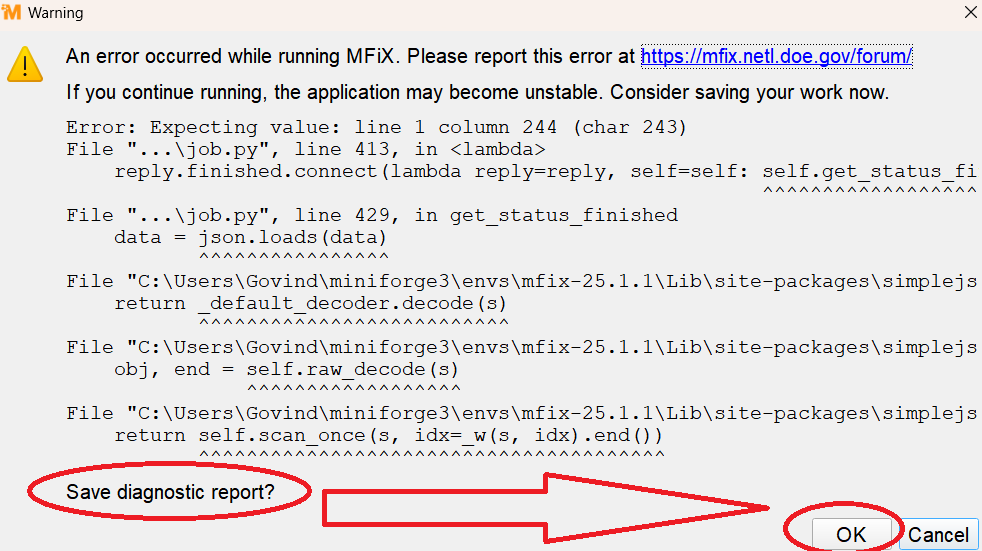
i tried to save diagnostic report and as soon as i clicked on OK button, system does’t respond even after 12-13 hr.
Sorry, there is a bug in version 25.1.1. Please try with 25.1.2.
Also, did this just happen once or is it reproducible? Can you attach your .mfx and any other files (.stl, .f, etc) needed to run the case?
TFM.mfx (10.0 KB)
its reproducible. i have attached the .mfx file for the same
Thank you! I need the STL file as well. semicircle_model.stl.
I see that you are running this case in SMP mode on Windows. Do you get the same error if you run in serial?
tfm_2025-06-03T194353.280692.zip (8.2 MB)
i have attached the diagnostic reports. please have a look
Thank you @Jashavant, I am running the case now, on both Windows and Linux hosts. I have not yet seen an error but I may need to let the case run longer. How long did you run it before the failure?
Looking at the TFM.LOG file you attached, I see at the end of the file:
ERROR from time_step.f:200
DT < DT_MIN.  Recovery not possible
and before this there are 46 warnings like
WARNING from leq_bicgs.f:269
Warning: Singular matrix detected when solving for : EPp

WARNING from leq_bicgs.f:269
Warning: Singular matrix detected when solving for : T_g
It looks like the real problem is that the simulation failed to converge. The error popup you saw (“Expecting value: line 1 column 244”) is due to the GUI recieving a cut-off message from the solver. This shouldn’t happen, but it’s not the root cause of the error, only a second-order symptom. I will work on improving the message handling in the case of a convergence failure. This may have happened becaus of SMP mode. It’s always a good idea to examine the .LOG files.
The real question is, why did these singular matrices occur and how to do we prevent that?
– Charles
Ok, I got the crash to happen on Windows but it has not happened yet on Linux. When it crashes on WIndows my screen looks like this:

The message about get_status_finished is there, but there is also another popup in front of it saying DT < DT_MIN. Recovery not possible! - this is the real error. Note also the 1 error, 53 warnings, 7 messages. If you click on the 53 warnings you will see the “singluar matrix” messages I was referring to in my previous message.
This may be an issue with SMP on Windows, since the crash has not happened on Linux. We will investigate but I’m not sure if we can fix this. If you are able to do your work on a Linux machine, you will get better performance and (probably) fewer errors. Furthermore DMP mode is available on Linux which (generally) gives better performance for parallel runs than SMP.
– Charles
semicircle_model.STL (5.2 KB)
this is the STL file. i did not check with serial till now, will try
The STL file got included when you created the ZIP file so I was able to run your case and reproduce your error, at least on Windows. See my 2 messages above.
1 Like
yes i got the same error , even i tried to increase DT_min value to very low still it shows the same error. 2 days ago i ran the simulation and it was working for almost 4 hour then error appears. DT<DT_min.
can you suggest me the possible solution as deadline is near for Master’s thesis project. and i did not have any simulation result yet. should i use Linux for this?
Please let me know if your simulation completed without any error in case of Linux.
It’s been running for almost 3 hours on Linux without errors. It’s got about an hour and a half to go. I’ll let you know.
I think running on Linux is probably your best bet if you are under time pressure to get results… We can try to investigate the SMP problem on Windows but there’s no guarantee when that will be fixed.
Some users have had success running Linux instances under WSL on Windows, but I have not tried that. I would expect best performance with a native Linux host.
Also note that according to “top”, although you have allocated 24 threads to this simulation, it’s only using about 6 CPU cores. SMP performance does not scale linearly in the number of threads. DMP (only available on Linux) might give you faster simulations.
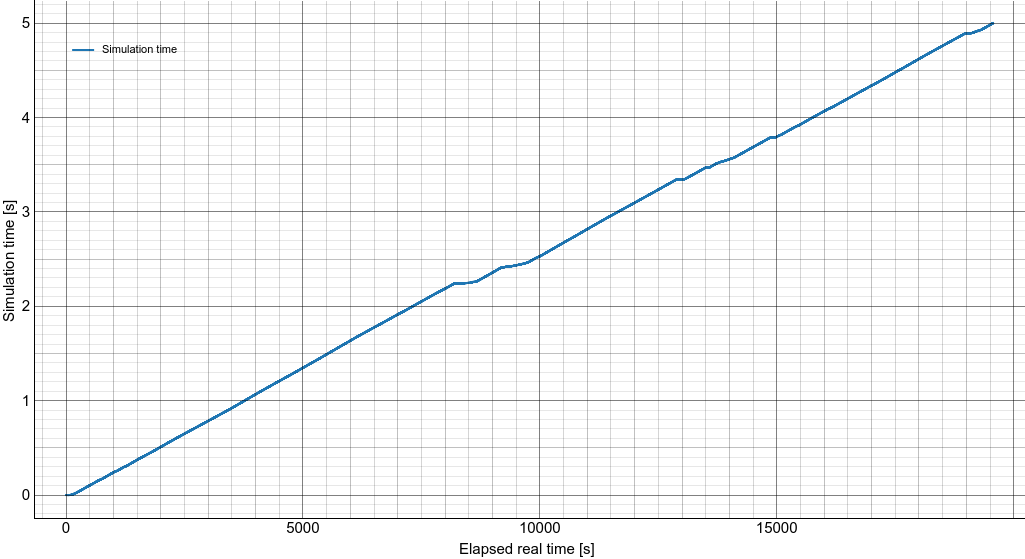
It ran to completion on Linux after about 5 1/2 hours, in SMP mode. However, I got a convergence failure (DT<DT_MIN), but no “Singular matrix” warnings, running in DMP mode (4x4x2)
– Charles
I found several issues that can explain the slow convergence and/or singular matrix:
- Your STL file is closed a the top and bottom, which conflicts with the inlet and outlet. My recommendation if you have a cylinder is to use the procedural STL geometry from the GUI. The attached setup is using procedural STL geometry. The cylinder has no cap at the top and bottom, and extend past the top and bottom planes to get a cleaner intersection with the background grid.
- Initial conditions:
a. You start with a bed covering the entire domain and it is fully packed. It is better to start below max packing. If you want to study a fluidized bed, leave some room with a freeboard region.
b. Initial gas velocity is set in the x-direction. This doesn’t help, maybe it should have been set in the y-direction.
c. Initial solids pressure set to 101325Pa. Solids pressure is not the same as gas pressure. You can just leave solids pressure at zero. - You are using kinetic theory model, this tends to be harder to converge than the algebraic model.
I made the above tweaks 1) and 2) in the attached setup. It ran fine on my Linux machine (DMP, 48 cores=4x6x2 decomposition) in 33 minutes (25.1.2 release). I increased the DT_max to 5E-4 s to get it to run fast.
tfm_2025-06-04T083709.664001.zip (37.3 MB)
1 Like
Thanks for reminding me the mistake i made related to velocity direction.
Actually my Fluidized bed which i have to simulate is of Semi-circular semi-circular cross section (obviously Hollow semicircular) and i made it solid semicircular , is it not the correct way do so? Or do need to make it Hollow semicircular?
You can use two cylinders with opposite normal vectors to create the hollow geometry. The normals need to point towards the fluid region.

in the attached screenshot of my model the normal at the inlet and outlet are not centered properly. does it affect inlet gas flow? i want the uniform gas velocity at inlet.
As I said in my previous reply, you should not close the stl file at the inlet and outlet, otherwise it will conflict with the inlet and outlet boundary conditions. I also recommended you use the procedural stl geometry feature if you have simple cylindrical geometry. Take a look at the setup I spent time preparing for you so you can get more familiar with the workflow.